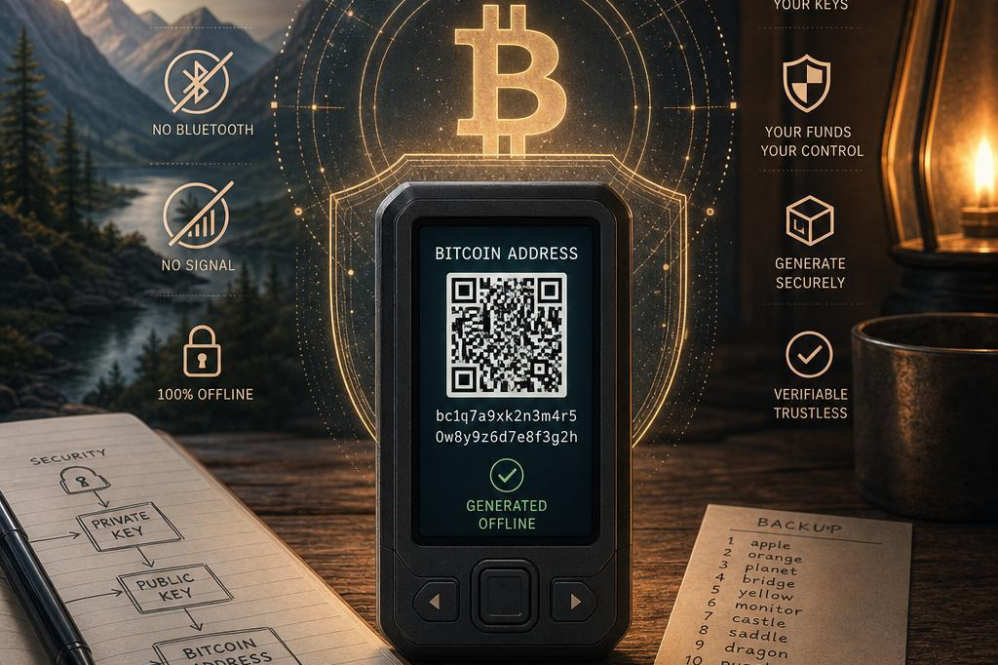
Understanding the Importance of Offline bitcoin Address Generation
Maintaining the security of yoru bitcoin holdings begins with how and where your address is generated. Creating bitcoin addresses offline is a critical step in protecting against a slew of online threats such as hacking, malwareand phishing attempts. When an address is generated on an internet-connected device,sensitive details such as private keys can unintentionally be exposed to malicious actors.By isolating this process from any network connection,users drastically reduce the attack surface,ensuring the cryptographic keys remain confidential and under their control.
Offline generation also mitigates risks tied to supply chain vulnerabilities and software tampering.Many wallets and key generation tools can be compromised at the source or during software updates when connected online. Generating addresses within a secure, air-gapped environment preserves integrity and trustworthiness. This method supports compliance for users who must adhere to strict security protocols or regulatory standards, providing an additional layer of assurance by controlling the entire lifecycle of key creation offline.
| benefit | Description |
|---|---|
| Enhanced Security | Keys never touch the internet, minimizing hacking risk. |
| Data Privacy | Offline generation keeps private keys confidential. |
| trust Integrity | Limits exposure to compromised software or supply chain attacks. |
| Regulatory Compliance | Supports protocols requiring isolated key generation. |
Essential Preparations for Secure Offline Environment Setup
Setting up a secure offline environment to generate bitcoin addresses demands meticulous attention to hardware and software integrity. It is imperative to select a dedicated device that will remain physically isolated from any network connections. Ideally, this device should be a brand-new computer or a well-maintained system that can be thoroughly wiped and formatted to eliminate any pre-existing vulnerabilities or malware. Additionally, employing a trusted, verified operating system tailored for security, such as a live Linux distribution booted from a read-only medium, greatly reduces exposure to compromise.
essential preparations also encompass comprehensive verification of cryptographic tools before usage. One must download all necessary wallets,key generation utilities,and related software tools on a separate,internet-connected machine,followed by secure checksum verification to confirm authenticity and integrity. These verified files should then be transferred using trusted, write-protected USB drives to the offline device. This two-step method ensures that all executables are untampered with and safe for offline deployment.
physical security controls heighten the protection of the setup process. Maintain an environment free from potential surveillance devices and ensure no network interfaces are enabled or connect accidentally during address generation. Use physical barriers such as Faraday cages or signal jammers if needed. A checklist of critical measures to uphold during preparation might include:
- Dedicated offline device: No prior internet use.
- Verified cryptographic software: Checksum validated.
- Secure file transfer: Write-protected media only.
- Physical isolation: No electromagnetic leaks.
- Restricted access: Limit personnel and environment.
Selecting Reliable Tools and Software for Offline Key Generation
Choosing the appropriate tools and software for offline key generation is a critical step in ensuring the security of your bitcoin wallet.When operating in an air-gapped environment,it is paramount to select tools that have a proven track record of reliability and are open source,allowing for community verification. Open-source software enables openness and reduces risk by allowing experts to audit the code for vulnerabilities and backdoors. Avoid proprietary or obscure tools, as these frequently enough lack sufficient scrutiny and might harbor hidden security flaws.
Another factor to consider is the simplicity and minimalism of the chosen software. Opt for programs that focus exclusively on key generation and management, without needless features that could introduce vulnerabilities. Lightweight tools reduce attack surfaces and are easier to audit manually.additionally, compatibility across multiple platforms can be beneficial; though, ensure all versions used are downloaded from official repositories and verified using checksums or digital signatures.
Below is a concise comparison of popular offline key generation tools,highlighting essential features for secure offline use:
| Tool | Open Source | Platform Support | Focus | Verification Method |
|---|---|---|---|---|
| Electrum | Yes | Windows,macOS,Linux | Wallet & Key Generation | SHA256 Checksums |
| bitcoin Core | Yes | Windows,macOS,Linux | Full Node + Wallet | PGP Signatures |
| bitcoin Paper Wallet | Yes | Cross-Platform (Offline Web) | Offline Paper Key Generation | Manual verification |
Ultimately,prioritizing trusted,minimal,and verifiable tools forms the backbone of a secure offline key generation process,protecting your assets against digital threats and enhancing peace of mind.
Step-by-Step Process to Generate bitcoin Addresses Without Internet Access
Begin by setting up an isolated environment consisting of a computer or device that has never connected to the internet. This ensures your private keys never risk exposure through network vulnerabilities. Use trusted, open-source bitcoin wallet software specifically designed for offline key generation. After installing the wallet, disconnect all network interfaces, including Wi-Fi and Ethernet, to guarantee complete isolation from any online connectivity.
Once the secure setup is confirmed, launch the wallet submission and access its key generation feature. Carefully follow the on-screen directions to generate a new bitcoin address. The software will internally create a cryptographic keypair-the private key remains on your device,while the public key derives the bitcoin address you will use for transactions. Be sure to record or print your private keys safely without storing any digital copies on online or frequently accessed devices.
Here’s a quick checklist to ensure absolute security during this offline process:
- verify the wallet software checksum before installation to avoid tampered versions.
- Use an air-gapped device strictly dedicated to offline transactions.
- Generate and securely back up multiple address keys to prevent accidental loss.
| Step | Action | Key Security Tip |
|---|---|---|
| 1 | Prepare isolated device | disconnect all networks |
| 2 | Install trusted software | Verify checksum |
| 3 | Generate keypair offline | Store keys offline |
Best Practices for Safeguarding Private Keys During and After Generation
Maintaining absolute control over your private keys is paramount to ensuring the security of your bitcoin holdings. when generating keys offline, itS critical to use a trusted hardware environment free from malware or spyware that could compromise your keys during creation. Never generate keys on a device connected to the internet, as exposure increases vulnerabilities. Rather, utilize an air-gapped computer or a dedicated hardware wallet during the key generation process to minimize risks associated with digital theft.
Once the private keys have been generated, the method of storage becomes the next crucial phase in safeguarding your assets. Physical storage methods,such as writing the keys on paper or engraving them on metal plates,provide resilience against cyber-attacks but require careful protection against environmental damage and theft. Consider storing multiple backups in geographically dispersed, secure locations to mitigate the risk of loss from fire, floodor misplacement. Avoid digital storage unless the files are encrypted and stored offline on devices kept in secure physical environments.
Comprehensive key management practices also include limiting access to your private keys. Only trusted individuals should have knowledge or control of the keys,and multifactor security protocols should be implemented wherever possible when handling key access. The table below outlines essential do’s and don’ts for managing private keys effectively:
| Do’s | Don’ts |
|---|---|
| Use air-gapped systems for key generation | Never generate keys on internet-connected devices |
| Store backups in multiple secure locations | Avoid storing unencrypted keys digitally |
| regularly verify backup integrity | Do not share private keys unnecessarily |
| use physical protections like safes or safety deposit boxes | Avoid writing keys in easily accessible or obvious places |
Verifying bitcoin Addresses and Ensuring Transaction Integrity Offline
Ensuring that bitcoin addresses are genuine and uncompromised is paramount to safeguarding digital assets, especially when operating in a fully offline environment. The process starts by verifying the integrity of the addresses through checksum validation, a mechanism built into bitcoin’s address generation protocol. This step confirms that no typographical or data corruption errors have occurred during manual input or transfer from secure devices. By running local validation tools on offline systems, one can maintain the highest confidence that each address aligns precisely with the intended cryptographic format.
Offline transaction integrity relies heavily on meticulous verification procedures before any actual transfer of funds is committed. This includes reviewing transaction details such as amounts,recipient addresses,and hash signatures using specialized software that never requires a live internet connection. Utilizing hardware wallets and air-gapped computers further enhances security by isolating critical key material from online exposure, thus preventing unauthorized interception or manipulation of transaction data.
Consider the following checklist for verifying bitcoin addresses and transactions offline:
- Validate the address format and checksum manually or with trusted offline tools
- Confirm transaction outputs and amounts against intended recipient details
- Use hardware wallets or secure cold-storage devices for signing transactions
- Cross-check transaction hashes on multiple offline devices before network broadcast
| Verification step | Purpose | Recommended Method |
|---|---|---|
| Address Checksum | Detect input errors | Offline validation tool |
| transaction Preview | Confirm correct recipient & amount | unsigned transaction review |
| Signature Signing | Authorize transaction securely | hardware wallet or cold storage |