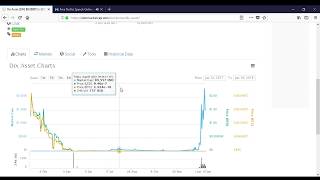
 How to buy DIX asset video: https://youtu.be/H1QsNm561cc
I will write down the steps of how to buy DIX asset here too :
1- You need to have Coinbase account because first you need to have BTC ( bitcoin ) to be able to buy the DIX coin. If you don’t have Coinbase account then you can sign up by clicking on this link: https://www.coinbase.com/join/5a54cb2c61cd9f04524fba1e
2- I have put my referral link because if you sign up using it then you’ll get extra free 10 dollars of Bitcoins when you deposit the 100 dollars.
3- After joining Coinbase, you need to verify you’re account and add a payment details and buy the Bitcoins.
4- After this you need to sign up on stocks.echange you can click on the link below to sign up: (stocks.exchange) Because you can’t buy the DIX coin from Coinbase so after you sign up on stocks.exchange you need to go to your bitcoin wallet there and click on deposit after this your second bitcoin wallet deposit address will appear. You need to copy it, then go back to coin base and transfer all the bitcoin that you bought there to your new bitcoin wallet on stocks.exchange
5- It may take up to 5 hours to receive your bitcoin at stocks.exchange
6- After you receive the BTC ( bitcoin ) you click on exchange at the middle of the page and then, go to the top right of the page and click on the blue symbol that looks like settings . after this you will see different exchange cryptocurrencies which will appears like this: BTC NXT LTC ETH.
7- After this, click on the BTC and then you will see different exchange currencies down the BTC
8- Click on the Second one which is called NXT , after this buy NXT coins by the amount of BTC that you got.
9- When you buy the NXT you need to click on the top of the chart on the exchange on the NXT word which it will be beside BTC ( BTC NXT LTC ETH ).
10- After you click on it, some currencies will appear ( JNS, STEX, LNK, DIX, ADL)
11- After this you need to click on DIX ,and when you click on DIX you roll down and buy DIX by all the amount of NXT that you got. Like this your DIX will be stored in wallet on your account there.
12- To see your balance all you have to do is, click on the top left sides on the 3 small lines it’s like option symbol.
13- After this, click on wallet and then click on PORTFOLIO then you’ll be able to see your DIX coins.
14- And when the value of DIX coin go up and you want to withdraw the money. All you have to do is:
15- go to NXT and sell your DIX there after this you will get NXT.
16- After this, go to BTC/NXT and exchange your NXT to BTC.
17- Then send the BTC to your account on Coinbase.
18- When you receive the BTC at your wallet on Coinbase, you can sell your BTC there, and then you can send the money back to your bank account by clicking on transfer.