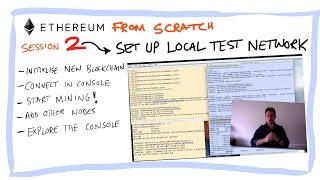
 Part two of my hands on tutorial series on Ethereum. In the first video we installed Geth – in this one we actually get our hands dirty and start using it.
We are just creating a private local ethereal network – with two nodes – I show how to initialise a new blockchain from a sample genesis block, how to start the javascript console and some basic commands to get you started.
I start a miner, show the block height increasing and that the blockchain is being communicated across both separate nodes.
This is intended to be a very hands on tutorial so please follow along.
______________________________________________________________
Here is the script from the session.
NOTE angle brackets i.e. the GREATER THAN SYMBOL are not allowed in the description so I’ve replaced with > – you need to replace with the GREATER THAN symbol when running the command
0. Set up the environment
cd ~
mkdir ethereum
echo ‘export ethereum_home=/Users/mattthomas/ethereum’ (double right arrow) ~/.bash_profile ~/.bash_profile
cd ethereum
vi $ethereum_home/genesis.json
(pasre this with cmd v in edit mode)
}
Save with esc !wq
1. initialise the block
geth –datadir “$ethereum_home/youtube1” init “$ethereum_home/genesis.json”
2. start the console
geth –datadir “$ethereum_home/chain5” console 2 > console.log
3.create a 2nd node
geth –datadir “$ethereum_home/youtube1-a” init “$ethereum_home/genesis.json”
4. Start on a different port and specify networkid
geth –datadir “$ethereum_home/youtube1-a” –port 30304 –nodiscover –networkid 1234 console 2 > console.log
5. get the admin.nodeInfo enode from the second instance and copy it into admin.addPeer in the first node
6. Restart specifying IPC path
geth –datadir “$ethereum_home/youtube1-a” –port 30304 –nodiscover –ipcpath “$ethereum_home/youtube1-a/geth.ipc” –networkid 1234 console 2 > console.log
7 run get attach to attach another window to the node using the pic file
geth attach ipc:$ethereum_home/youtube1-a/geth.ipc
8 Key commands from the javascript console
Personal.newAccount()
(add password)
Miner.start(1) – start mining
eth.blockNumber – current block height
eth.getBlock(number).miner – miner of block at that number
eth.getBalance(account address) – current balance of that account